

Minerva.
Run the whole course in one place.A virtual classroom for people who teach and people who learn: private tutors, self-directed learners and schools.Free to teach and free to learn, forever. Built for Indian classrooms, with prices in ₹ and 38 languages.Teach
Lessons with music notation, marking in one pass, and class records that take attendance for you.
Learn
A Today page, lessons that unfold in order, a practice log and a record of your own growth.
Run a school
Rosters, timetables, approvals, results and an audit log, across every classroom.
Made for everyone in the room.
Teachers & tutors
Write or build lessons, set and mark work, record classes, take attendance, book sessions and see how every student is really doing.
Students
Work through lessons in order, hand in answers and recordings, take tests, log practice, ask questions and book classes.
Self-directed learners
Study on your own, or let Minerva teach you from its checked subject library, with the same tools a teacher gets.
Parents & observers
Follow one student's progress and scores, without ever seeing their private work.
Schools
An admin Command Centre for rosters, timetables, credits, approvals, results and audit across every classroom.
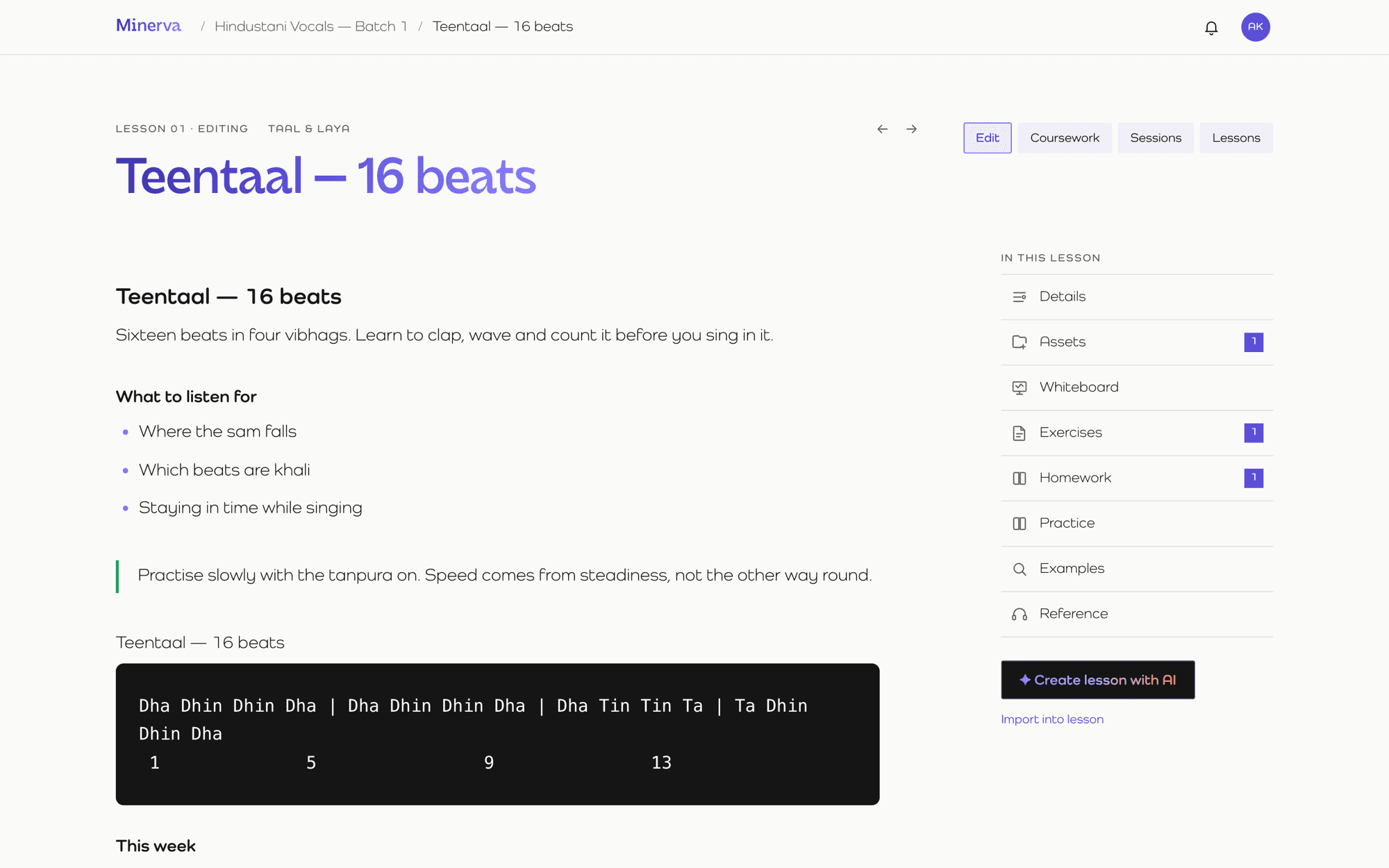
A lesson editor that keeps up with you.
Type like you would in a notes app. Add headings, callouts, images, video, audio, flashcards, quizzes and music notation with a slash. Everything autosaves, and a long lesson is split into pages for you.
- Import from Word, HTML, PDF or a web page. Headings, lists and homework sections are kept.
- Link from one lesson straight to a specific block in another.
- Music notation: 229 engraved symbols (clefs, rests, accidentals, note groups) sized to sit inline like sheet music, plus a shared whiteboard.
- Attach files, exercises, homework, practice tasks and your own reference recording.
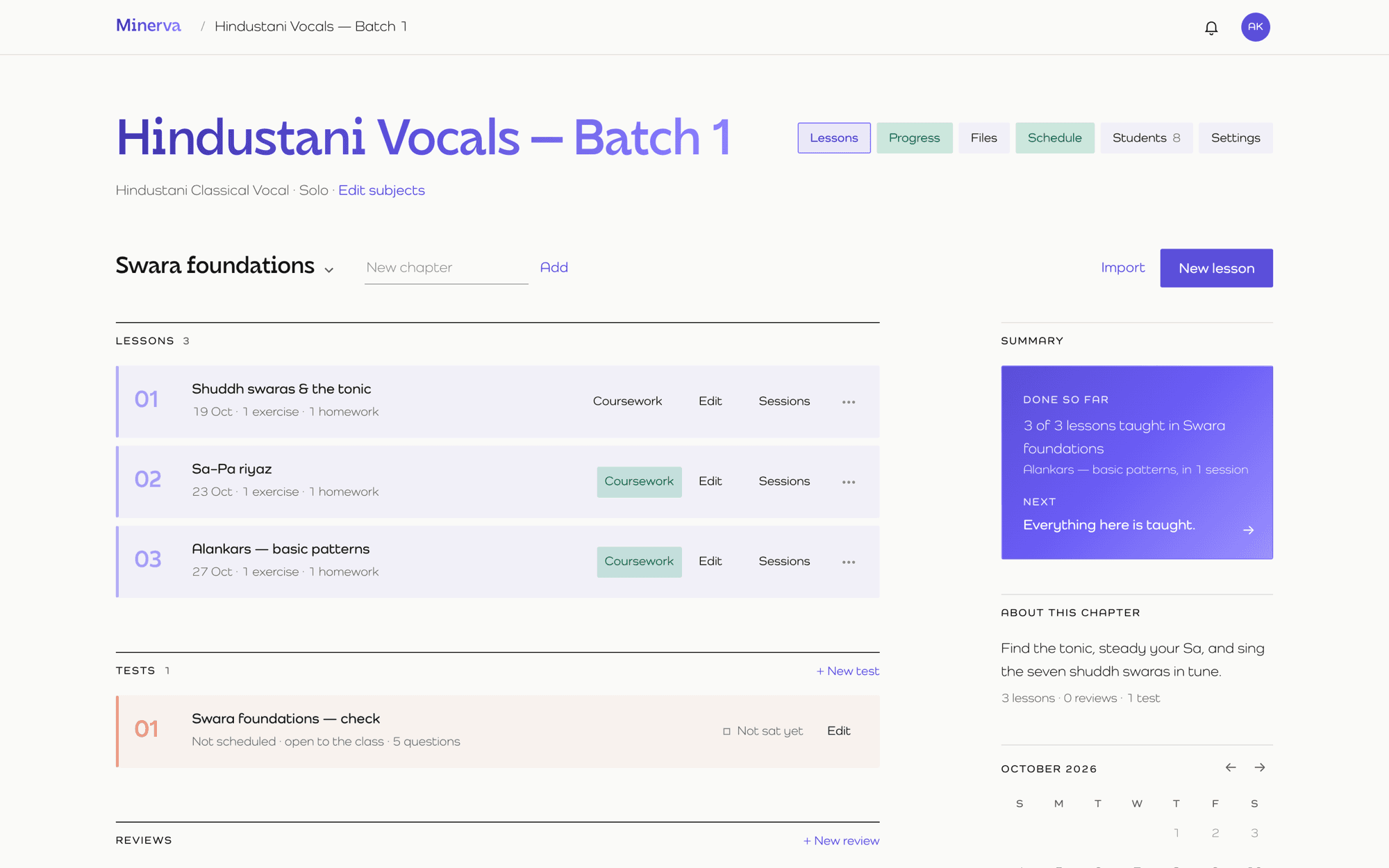
Chapters, order and a clear road ahead.
Group lessons into chapters and let the course unfold in order. Students see what's done, what's current and why something is locked (“opens when you finish 02”), so nobody has to ask what's next.
- Per-chapter numbering, drag to reorder.
- Open lessons automatically after a class, or unlock them yourself, for everyone or one student.
- Tests, reviews and a calendar of what's coming, in one list.
- Auto-build a whole subject from the library, one lesson per chapter.
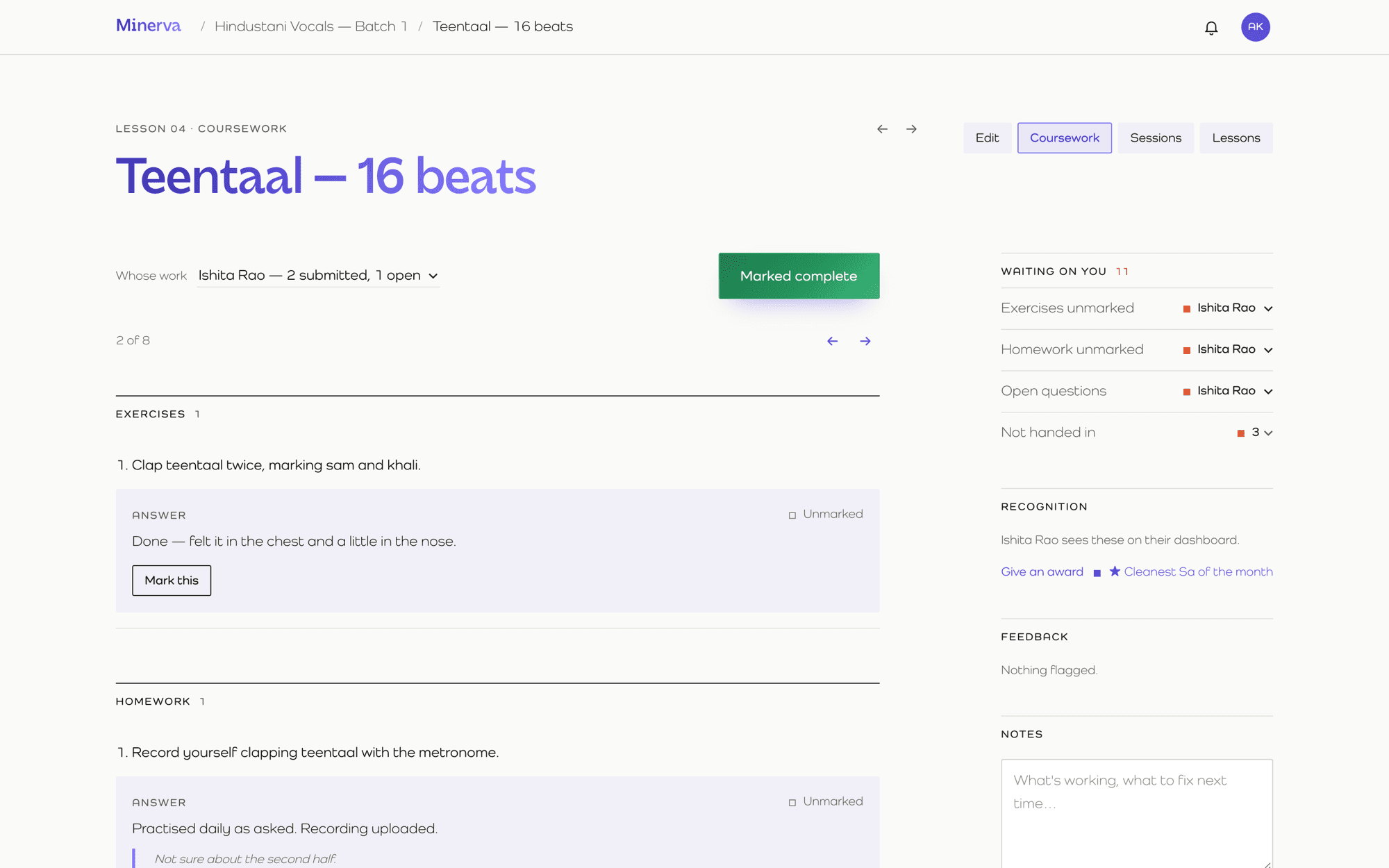
Mark a whole class in one pass.
Pick a student, see every answer next to the question it answers, and mark. Move to the next student with “3 of 8” beside you. What's waiting on you is always one glance away.
- Verdicts, scores and written feedback on exercises and homework.
- Students hand in typed answers, photos or PDFs, and audio.
- Timestamped comments on recordings: “at 0:42, flat on Pa”.
- Questions asked from a highlighted passage arrive as threads you answer in place.
- Auto-mark anything an answer key can settle.
Assessment that marks itself where it can.
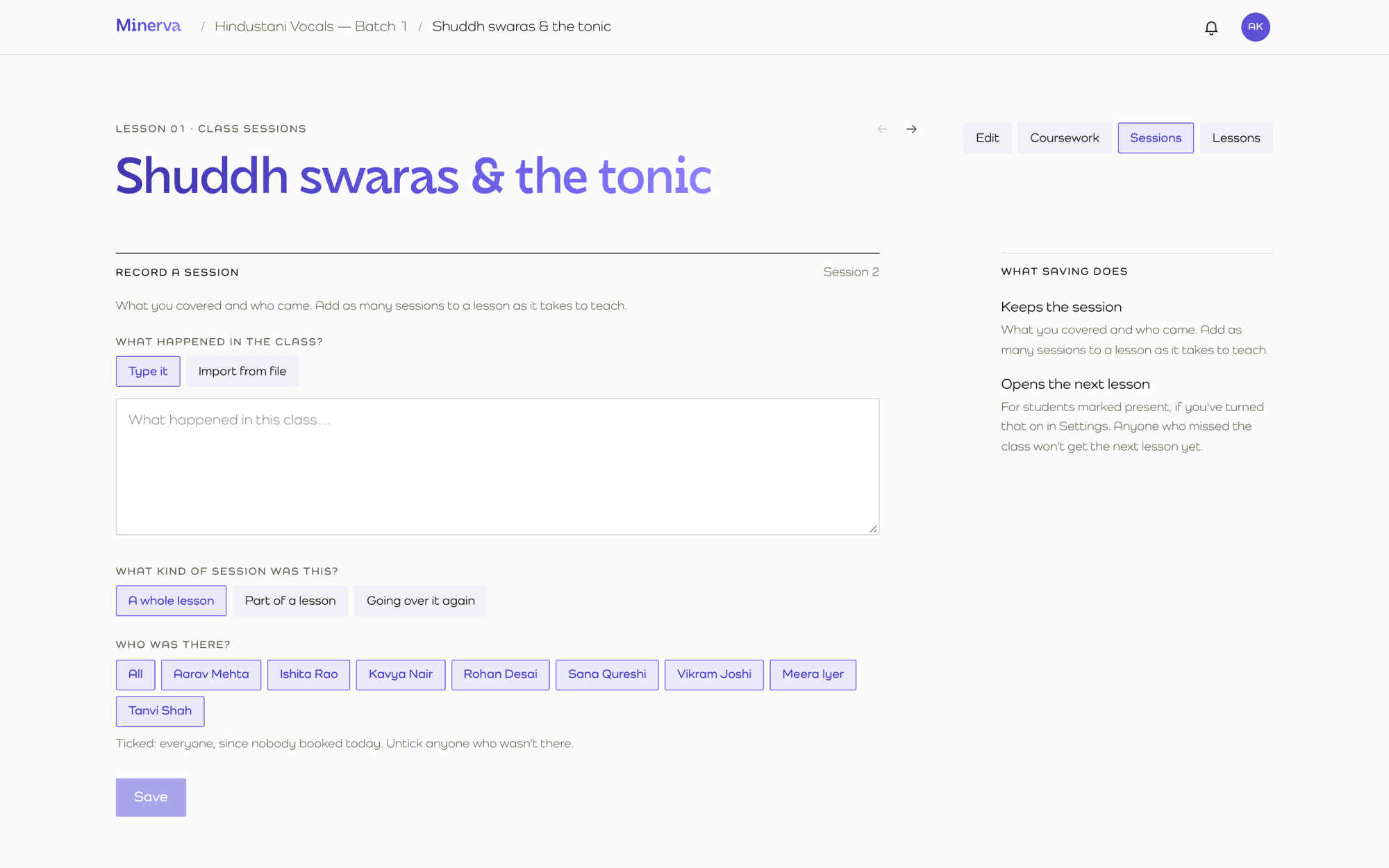
Record what happened. Minerva remembers.
After each class, write what you covered and tick who was there. Saving costs nothing: it keeps the record, takes attendance, and opens the next lesson for the students who were present.
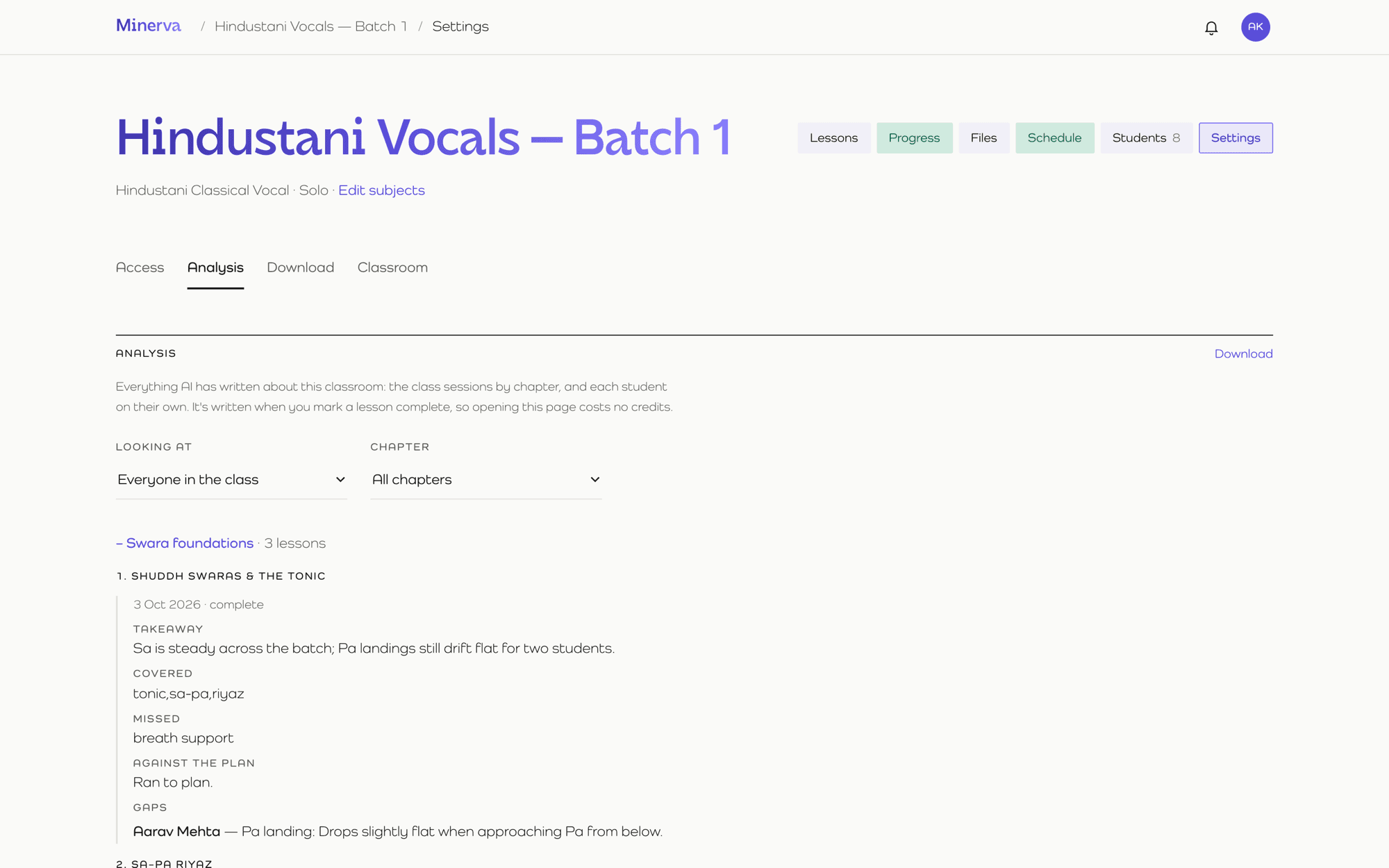
When you mark a lesson complete, Minerva reads the sessions together with what students handed in. It writes up a takeaway, what was covered and missed against your plan, and the gaps each student still has.
See who's flying and who's quietly stuck.
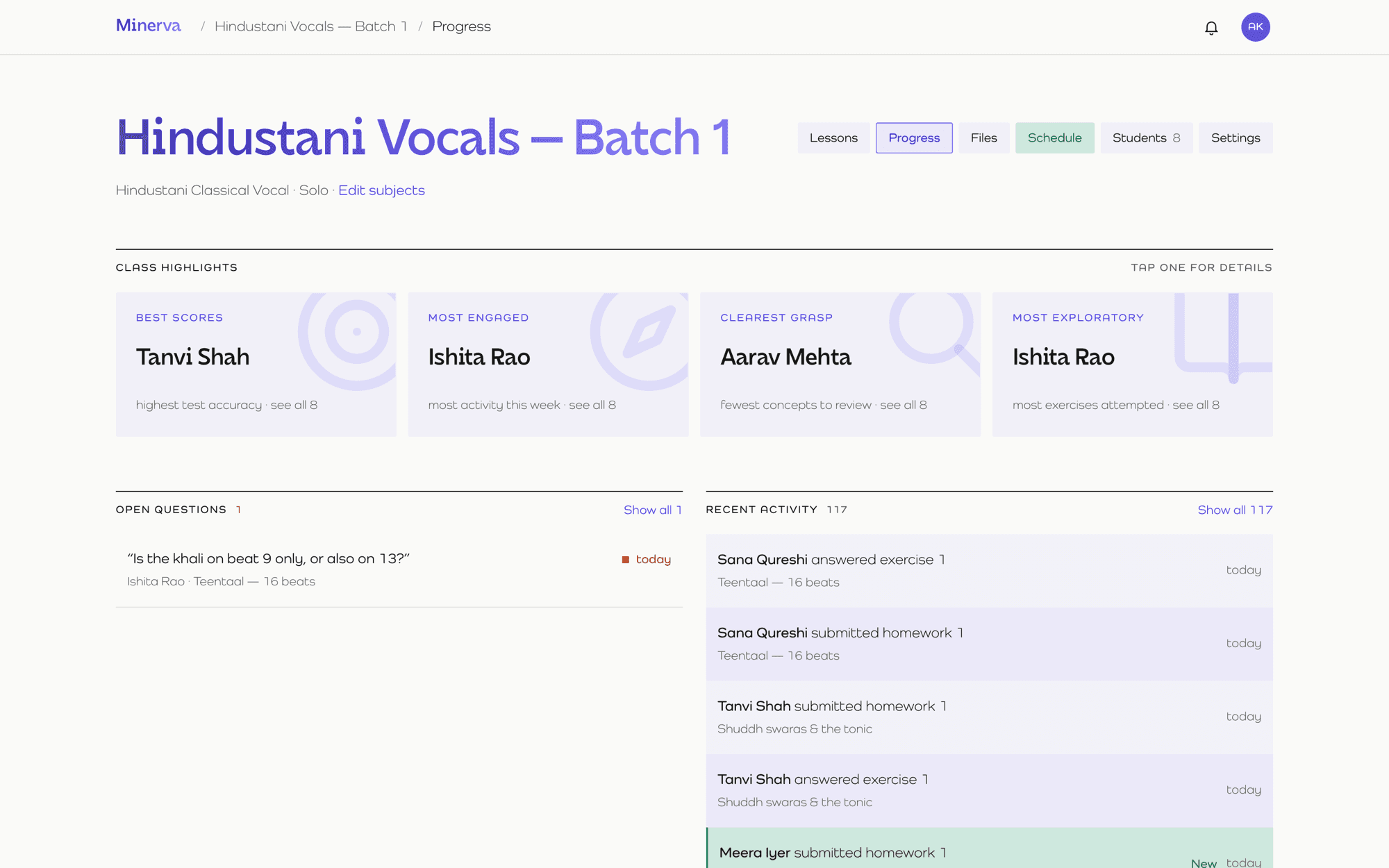
Class highlights surface the best scores, the most engaged, the clearest grasp and the most exploratory students. Open any figure for the table behind it.
- Per-student records: lessons done, exercises, homework, attendance, test averages, time per lesson.
- A growth report that reads the last two weeks and tells you where things are heading.
- Students see their own record, plus rewards for consistency, accuracy and improvement.
Everything the AI wrote, in one place.
Every analysis Minerva writes is collected under Settings → Analysis, by chapter or by student, and can be downloaded. Opening it costs nothing, and you can always see exactly what it said.
AI that's grounded, optional and accountable.
It can compose a lesson, build exercises and tests, merge imported files into one lesson, analyse a class, read a practice log for patterns, and give each student a plain-language summary of where they stand.Grounded in checked material
Lessons and questions are composed from a checked subject library. If a topic isn't covered, Minerva says so rather than inventing it.
Reads real work
Class analysis uses what students actually handed in, including photos of written homework.
Pay for what you use
Credits are checked before every call, every call is logged, and marking a class complete is always free.
Never a surprise bill
You're told at 80% used, and your last analysis stays visible if credits run out.
Set your hours. Let students book.
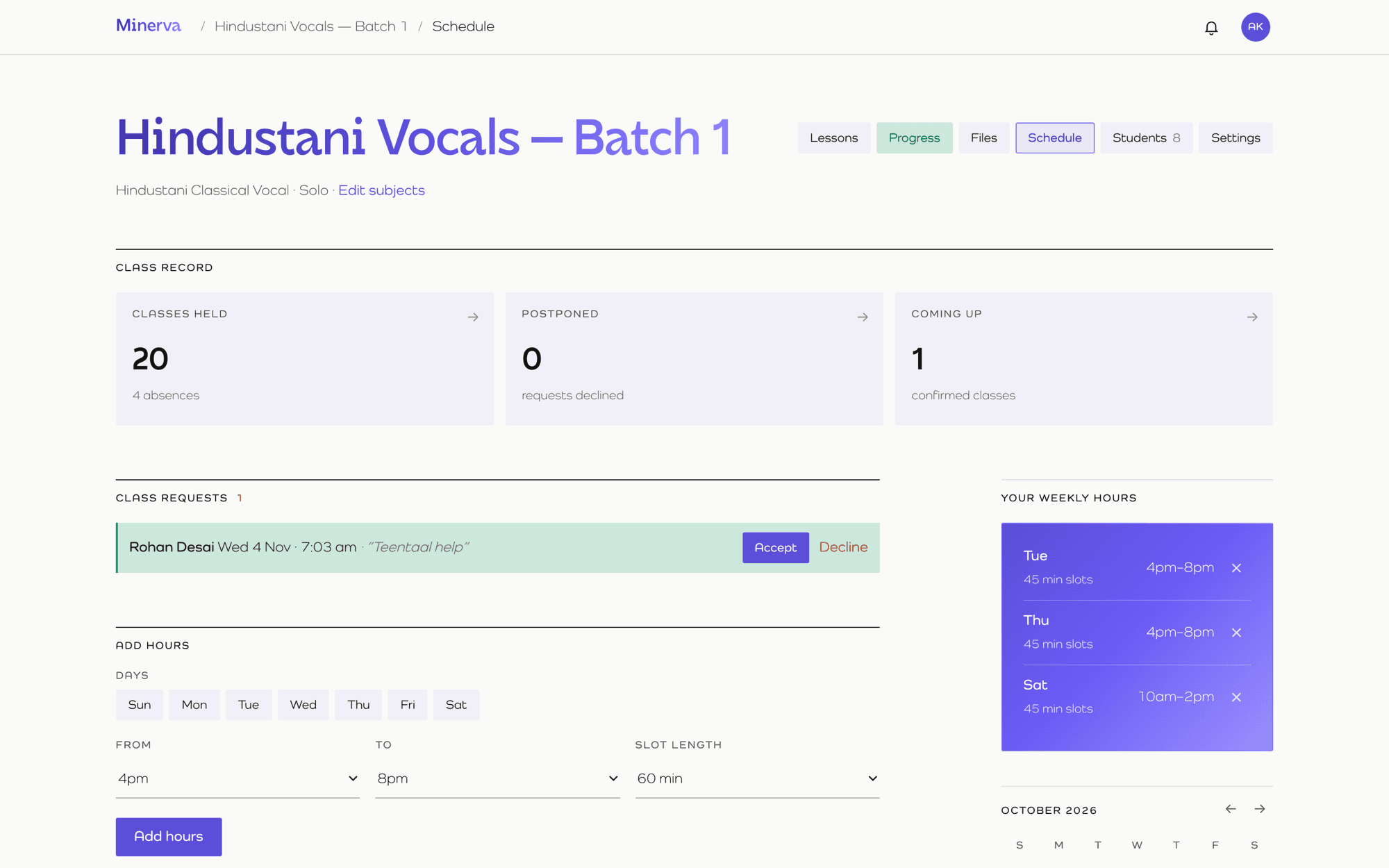
Tell Minerva when you teach and for how long. Students see your free slots and ask for a class. You accept or decline in a tap.
- Weekly hours, days away and slot lengths.
- A private calendar link that puts booked classes, lessons and tests into Google or Apple Calendar.
- A class record: held, postponed, coming up.
- Self-study slots with reminders for learners teaching themselves.
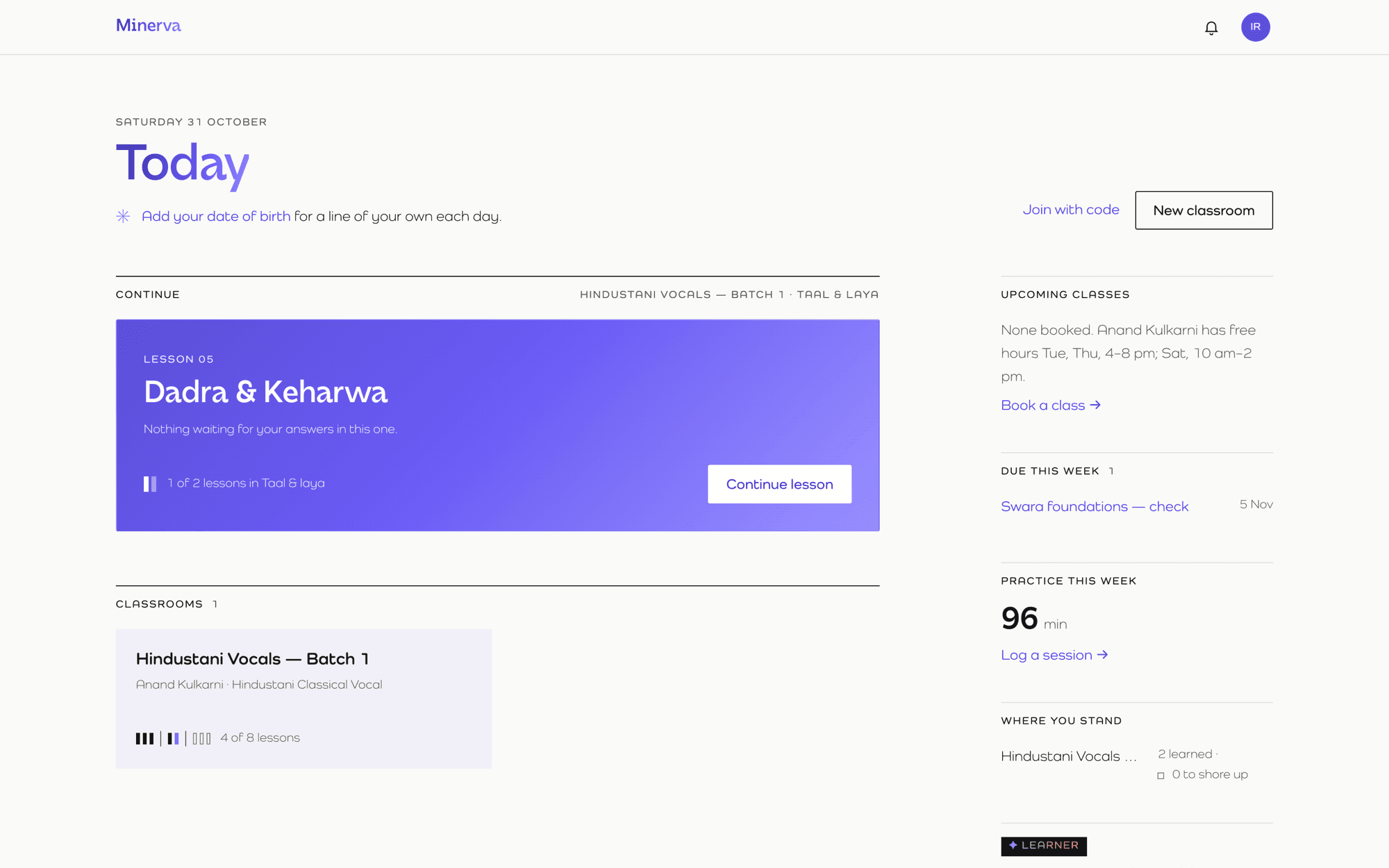
Teach yourself, with a teacher's tools.
Pick a subject and Minerva builds the course, keeps you on track and tells you plainly where you stand.A place that makes them want to practise.
One Command Centre for the whole school.
School classrooms use only the school's plan and credits. Teachers and students keep their own personal classrooms entirely separate.Roster
Teachers and students, added or imported with roles.
Timetable
Every class in a week, clashes flagged. Move a course to another teacher.
Credits
One AI pool, divided across classrooms.
Library
A school shelf of lessons teachers copy from.
Approvals
Review lessons and tests before students see them.
Results
Averages, pass rates and “worth a conversation”.
Engagement
Marking turnaround, attendance and time in lessons.
Notices & audit
Announcements with read counts, and a log that can't be edited.
Private by design.
Simple pricing, in rupees.
Teaching and learning are free for everyone, always. Paid plans add AI credits and storage. Annual billing is ten months' price.| Plan | Monthly | Annual | AI credits / month | Storage | Best for |
|---|---|---|---|---|---|
| Free | ₹0 | ₹0 | — | Drive links only | Trying it out · up to 3 students |
| Solo | ₹149 | ₹1,490 | 500 | 10 GB | Starter tutors · 10–15 students |
| Solo Pro | ₹499 | ₹4,990 | 2,000 | 30 GB | Working tutors · 25–40 students |
| Solo Max | ₹1,599 | ₹15,990 | 8,000 | 100 GB | Batch teaching · 60–90+ students |
| Learner | ₹99 | ₹990 | 300 | 5 GB | Casual self-study |
| Learner Pro | ₹299 | ₹2,990 | 1,200 | 20 GB | Steady self-study |
| Learner Max | ₹999 | ₹9,990 | 4,800 | 50 GB | Exam prep and intensive study |
| Academy | ₹2,499 | ₹24,990 | 10,000 | 150 GB | Schools · up to 5 teachers |
| Academy Pro | ₹5,299 | ₹52,990 | 25,000 | 250 GB | Larger schools · up to 20 teachers |
Questions people ask.
Is Minerva really free?
Yes. Every account can teach and learn for free, at the same time. Free classrooms use Drive and other links for files; paid plans add AI credits and storage.
Do I have to use AI?
No. Lessons, marking, scheduling and progress all work without it. AI is a paid extra you switch on when it saves you time.
Can a student see another student's work?
Never. Work is visible only to the student who wrote it and their teacher.
Can I bring my existing lessons?
Yes. Import from Word, HTML, PDF or a web page, and student lists from a spreadsheet.
Which languages are supported?
38 languages can be set for each person and each classroom.
Can one person be a teacher and a student?
Yes. One account holds your teaching, learning and school places, kept strictly apart.